Article
How to Create Service Pages That Generate Calls
November 10, 2026 • 7 min read

A service page has one job: make it easy for a ready-to-buy customer to choose you. If someone searches for garage door repair, laser hair removal, bookkeeping, or emergency plumbing, they are not looking for a brand story. They want to know whether you solve their specific problem, serve their area, and can help without wasting their time.
That is how to create service pages that produce calls and booked jobs instead of sitting on your website as filler. Each page should match a real search, answer the questions that delay action, and give the visitor a clear next step.
Start With the Service, Not a Generic Sales Pitch
The strongest service pages focus on one clear offer. A page called Services that lists ten short descriptions may look organized, but it gives Google and potential customers very little to work with. A dedicated page for each core service gives you more room to explain the job, show proof, and target the language customers actually use.
For example, a home service company may need separate pages for drain cleaning, water heater repair, sump pump installation, and emergency plumbing. A med spa may need individual pages for Botox, laser hair removal, facials, and body contouring. These are different searches with different objections, timelines, and buying decisions.
Do not create a page for every minor variation just to increase page count. If two services are genuinely the same job, combine them. Thin pages that repeat the same wording weaken trust and usually do not perform well in search. The right number of pages depends on how customers search and how your team sells the work.
Before writing, define the page in one sentence: this page helps a customer who needs [service] understand the result, process, price factors, and next step. If you cannot describe the page that clearly, the offer is probably too broad.
How to Create Service Pages Around Local Search Intent
A customer searching for a service is usually trying to solve a problem now or soon. Your page needs to meet that intent immediately. Put the service name in the main headline, then follow it with a direct value statement that explains the outcome.
A weak headline says: Professional Solutions for Your Needs.
A useful headline says: Fast Furnace Repair for Homes That Cannot Wait.
The second version tells visitors what the company does and why they should keep reading. It also gives search engines a much clearer topic signal.
Use the language your customers use. Business owners often describe services with industry terms, while customers search for symptoms, outcomes, and urgency. A mechanic may talk about diagnostics. A driver may search for check engine light repair. Both belong on the page, but the customer language should lead.
For local businesses, include service areas where they are relevant. If you serve Barrie, Newmarket, Aurora, and Vaughan, you can mention those areas naturally in a service area section or in supporting copy. Do not force every city name into every paragraph. That reads poorly and adds little value. One strong service page can rank for nearby searches when the site also has accurate business information, local signals, and a well-managed Google Business Profile.
Build the page around buying questions
Most visitors want answers to the same practical questions before they call:
- What exactly do you do?
- Is this the right solution for my problem?
- What happens during the appointment or job?
- How soon can you help?
- What affects the price?
- Why should I trust your team?
- How do I book or request an estimate?
Answer these questions in plain language. You do not need to publish a fixed price if every job is different. Explain the factors that affect cost instead, such as job size, materials, access, urgency, condition, or required repairs. This reduces friction without making promises you cannot keep.
Use a Page Structure That Moves Visitors to Action
A high-performing service page should feel easy to scan on a phone. Most local customers will not read every word. They will look for proof, availability, and a fast way to contact you.
Start with a focused hero section. Include the service, the primary result, and one obvious call to action. For a contractor, that may be Request a Quote. For a clinic, it may be Book a Consultation. For an urgent service, Call Now should be the most prominent action.
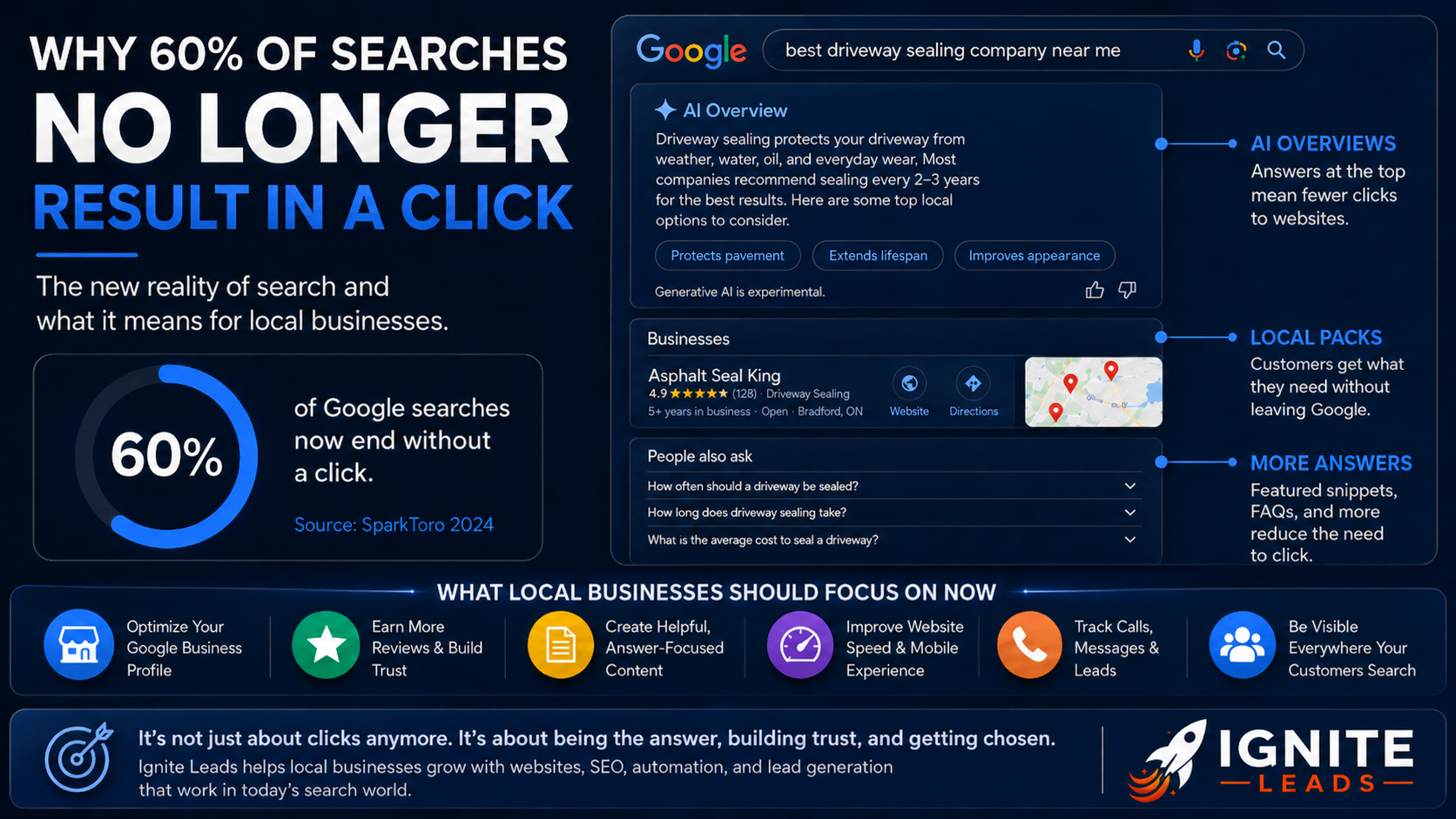
Next, explain the problem you solve and who the service is for. Be specific. A driveway paving company should not simply say it delivers quality workmanship. It should explain whether it handles cracked asphalt, poor drainage, faded surfaces, new installations, or commercial lots. Specificity makes a customer feel understood.
Then describe your process. Keep it operational: assessment, recommendation, scheduling, service delivery, and follow-up. Customers do not need a lecture on your internal methods. They want to know what will happen after they contact you and whether the experience will be straightforward.
Trust belongs beside the decision, not buried on an About page. Add relevant reviews, before-and-after photos, certifications, warranty details, years in business, response-time commitments, or examples of completed work. Use proof that relates directly to the service. A five-star review about friendly staff is useful, but a review describing a fast repair, clean installation, or successful treatment is more persuasive on a service page.
Finish with another clear call to action. A visitor who reaches the bottom has shown interest. Do not make them hunt for a phone number, form, or booking option.
Make Every Call to Action Easy to Complete
A service page can rank well and still lose leads if the conversion path is slow. Long forms, unanswered calls, and vague next steps create leaks that cost real revenue.
Keep quote forms short. Ask for the information your team needs to qualify the lead: name, phone number, email, location, service needed, and a short description. If photos are useful for estimating, make them optional. A customer dealing with an urgent issue should not have to complete a ten-field form before getting help.
Speed matters after the form is submitted. An automated confirmation is useful, but it is not a substitute for a real response. The businesses that win local leads are often the ones that call back first, text quickly, or use AI reception to handle enquiries outside business hours. Your page and your follow-up system need to work together.
If you offer online booking, show it clearly. If an estimate requires a site visit, say so. Clear expectations prevent low-quality leads and reduce no-shows.
Avoid the Service Page Mistakes That Suppress Results
The most common problem is generic copy. Phrases such as quality service, experienced team, and customer satisfaction are not wrong, but they do not differentiate you. Replace them with details a competitor cannot copy easily: response windows, service process, equipment, warranties, specialization, local experience, or a defined result.
Another mistake is writing for Google and forgetting the customer. Repeating a phrase like plumber in Barrie across every section makes the page awkward. Use the service keyword naturally in the headline, opening copy, a subheading where it fits, image descriptions, and supporting content. Then write like a business owner speaking to a customer who needs help.
Do not send every visitor to a general contact page either. A service page should capture the lead directly. Calls, click-to-call buttons, booking options, and short quote forms all reduce the number of steps between interest and action.
Finally, do not treat publishing as the finish line. Track calls, form submissions, booked appointments, close rates, and the search terms bringing visitors in. If a page gets traffic but few enquiries, the offer, proof, call to action, or response process may need work. Rankings are useful. Revenue is the real scorecard.
Build Pages as Part of a Lead Generation System
A service page works best when it is connected to the rest of your customer acquisition process. Local SEO brings qualified visitors in. Reviews reinforce trust. Fast call handling and automated follow-up prevent leads from going cold. A CRM gives your team visibility into what happened after the enquiry.
That is why Ignite Leads treats the website as an operating part of lead generation, not a digital brochure. The goal is not more pages for the sake of more pages. The goal is to make each important service easier to find, easier to understand, and easier to book.
Pick the service that generates the most revenue or the most valuable new customers, then improve that page first. A single clear page with strong proof and fast follow-up can produce more booked work than a large website full of vague promises.
Allan Heath
Founder of Ignite Leads. Helps local businesses grow through SEO, lead generation, and marketing automation — simplifying the playbook so owners can focus on the work.